
How many of you keep lists? If you’re anything like Jane and I, we have a grocery list, a To Do List, and Christmas Gift list. Usually we write things down on paper. We buy these little pads wth a magnetic strip and stick them on the side of our fridge.

Now that we both have I Phones, and we take them wherever we go, it made sense that we look into using them to keep our lists. I started looking around for an App that would work for us and discovered that there were all kinds available.
But the one that meets all of our needs is one called AnyList. This one has so many useful features. Not only can you list your grocery items, it will intuitively sort them by Store Department and you can then sort the departments into the order in which you shop. For example, if you start in Deli, you can put that Department at the top of your list. As you pick up your groceries, simply tap on that item on your I phone and a red line is put through it.
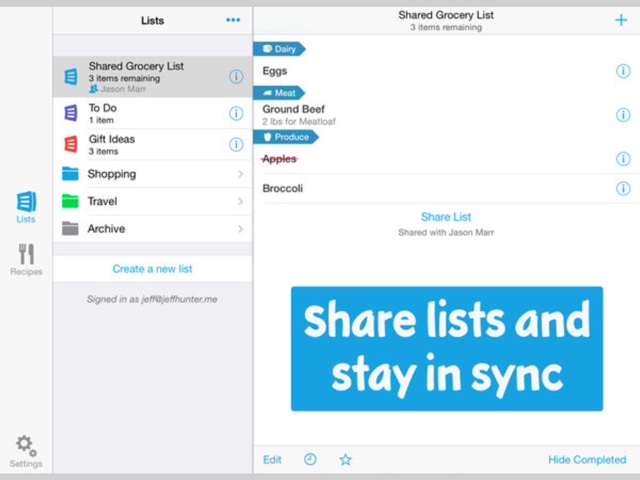
If you have no items in a particular department, that heading does not show up on your phone. It’s so cool.
If you upgrade (only costs about $13 annually) you can have sharing capability with other family members. You can choose which lists you want to share like grocery lists and keep Gift Lists private.
It remembers recent items so you can retrieve them if you wish and it has “note capability” if you want to remember specific brand names. It even allows you to include a photo of whatever item you have taken a picture of. They have thought of everything.
You can also do Menu planning which is very helpful on those special holiday weekends where you may have guests coming. You can import recipes into AnyList from recipe sites like “All Recipes” and review your ingredient list. Then, by simply clicking on the ingredients you need in your recipe list, they get added to your shopping list and placed in the right department.
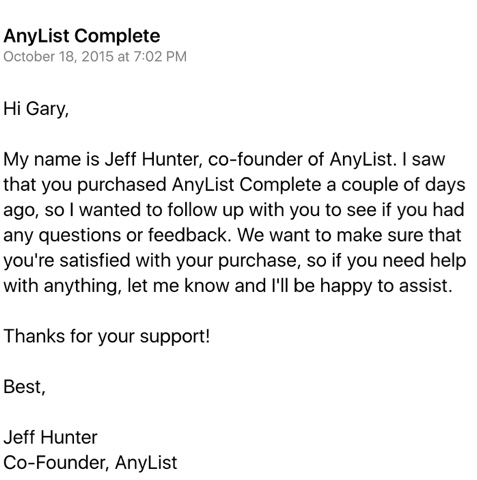
I was pleasantly surprised, a couple of days after purchasing the upgrade, to get a personal e mail from one of the developers of this app (Jeff Hunter jhunter@anylistapp.com) thanking me for my support and telling me if I had any questions or comments to let him know.
I highly recommend this product and urge you to go to their Facebook Page and “like” it.
 Life Unfolding